You're in!
Your First Digital Product
Thank you for purchasing Your First Digital Product. Your download is ready. Open the PDF and start with Step 1, choosing your idea. Work through each step in order, complete the exercises, and use the launch checklist in the final section when you are ready to go live. If you have questions, reply to any email from this purchase. Good luck with your launch.
Your complete guide is ready below. Start with Step 1 and work through each step in order. Everything you need, including the tools and resources mentioned inside, is linked right where you need it.
What's inside
11 Steps
- Step 01Choose and Validate Your Product Idea
- Step 02Create and Format Your Digital Product
- Step 03Design Your Product Cover and Mockup
- Step 04Build Your Sales Page
- Step 05Set Up Payment and Checkout
- Step 06Create Your Delivery Page and Thank You Experience
- Step 07Create a Free Lead Magnet
- Step 08Build Your Opt-In Page and Connect Email Marketing
- Step 09Write Your 7-Email Follow-Up Sequence
- Step 10Plan Content That Attracts Your Ideal Buyer
- Step 11Test Everything Before You Launch
Your guide
-
Step 1
Choose and Validate Your Product Idea
In shortHelp you pick a digital product idea that matches what you know and what people want to buy.
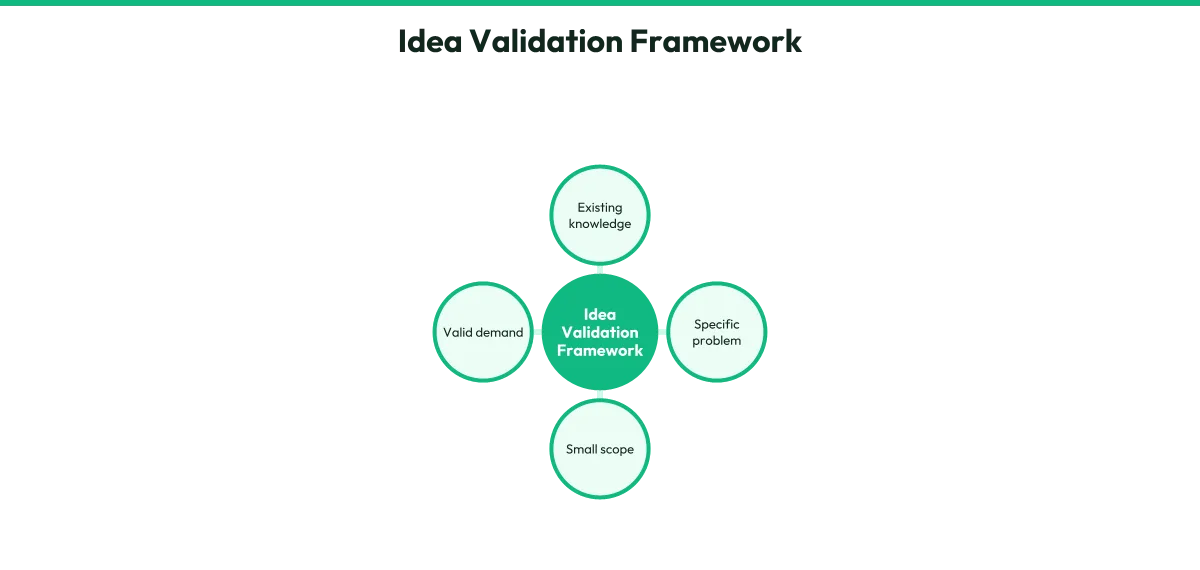
Your product starts with something you already understand better than a beginner. Think about what friends ask you for help with, what you have figured out the hard way, or what you could explain to someone in a single afternoon.
Good first products are small and specific. A 20-page guide that solves one clear problem beats a 200-page encyclopedia that tries to cover everything. Examples include a meal planning template for busy parents, a resume checklist for recent graduates, or a beginner workout plan for people who dislike gyms.
Validation means checking that people want this before you spend weeks building it. The simplest way is to ask. Post in a Facebook group, ask on a forum, or message five people who match your ideal buyer. Describe the problem and your planned solution.
Ask if they would pay for it. If three or more say yes or ask how to buy, you have a promising idea.
Another quick check is to search for similar products. If others are already selling something related, that is good news. It means a market exists. Your job is to make yours simpler, more specific, or better explained.
Write down three possible ideas. Pick the one that excites you most and has the clearest yes from potential buyers.
Action steps- List 5 topics people regularly ask you about or you know well.
- Narrow to 3 specific product ideas that solve one clear problem each.
- Ask at least 5 real people if they would pay for your top idea.
- Confirm similar products exist online to prove demand.
- Select your final idea and write one sentence describing who it helps and what problem it solves.
Exercises
- Exercise: The One-Sentence Test, Write your idea as: 'I help [specific person] to [specific result] by [your product].' If you cannot fill this in clearly, your idea needs more focus.
Recommended Resource
- Product Creator
Want to Skip All This? Build Your Product in About 30 Minutes
-
Step 2
Create and Format Your Digital Product
In shortTurn your idea into a finished digital file your customer can download and use.
Most first-time creators make a PDF. It works on every device, is easy to create, and feels like a real product to your buyer.
Start with a simple outline. Break your topic into 5 to 8 sections. Under each section, list the key points you need to cover. Write as if you are explaining this to a friend over coffee. Short paragraphs, clear headings, and bullet points make your product easy to read.
You can write in a free tool like Google Docs or any word processor. Aim for 15 to 40 pages for your first product. Longer is not better. Completing something you can sell this week beats perfecting something that takes months.
Once your content is written, format it cleanly. Use a readable font like Arial or Georgia at 11 or 12 point size. Add page numbers, a simple cover page with your product name, and a table of contents if you have more than 6 sections.
Save white space on the page. Dense blocks of text feel overwhelming.
Export your finished document as a PDF. This locks the formatting so every customer sees it exactly as you designed it. Test your PDF on your phone to make sure it reads well on a small screen.
Your product file is now ready. Next, you will make it look professional on the outside.
Action steps- Outline your product into 5 to 8 clear sections.
- Write the full content in plain language, one section at a time.
- Format with readable fonts, clear headings, and plenty of white space.
- Add a cover page with your product name and your name or brand.
- Export as PDF and test on both computer and phone.
Checklist
- Content covers one clear problem completely
- Sections flow in logical order
- Font size is 11pt or larger
- PDF exports correctly and displays properly on mobile
Recommended Resource
- Product Creator
Want to Skip All This? Build Your Product in About 30 Minutes
-
Step 3
Design Your Product Cover and Mockup
In shortCreate a visual that makes your product look trustworthy and worth buying.
People judge your product by its cover. A professional-looking cover tells buyers you took this seriously, even if the inside is simple.
You do not need design skills. Free tools like Canva offer ebook and PDF cover templates. Search for "ebook cover" or "guide cover" and choose a clean, uncluttered design. Use 2 or 3 colors maximum. Put your product title in large, readable text.
Add a subtitle if it helps explain the benefit.
Your cover should be vertical, like a book, even though you are selling a PDF. This shape looks familiar and professional in marketing materials.
A mockup shows your cover on a real-looking object, like a tablet, phone, or book standing on a desk. Mockups make intangible products feel physical and valuable. Canva has mockup templates where you upload your cover and it places it onto a device image automatically.
Save your final cover as a PNG file with a transparent background if possible. Save your mockup as a JPEG. You will use the cover on your product file itself and the mockup on your sales page and social media.
If you get stuck, search for "free ebook mockup" to find tools that generate these automatically from your cover image.
Action steps- Create a free account on a design tool with templates.
- Search for ebook or guide cover templates and pick a clean design.
- Add your product title, subtitle, and name or simple branding.
- Download your cover as PNG and as the first page of your PDF.
- Create a mockup showing your cover on a device or as a 3D book image.
Exercises
- Exercise: The Glance Test, Show your cover to someone for 3 seconds, then ask them what the product is about. If they cannot tell, your title or design needs to be clearer.
Recommended Resource
- Product Creator
Want to Skip All This? Build Your Product in About 30 Minutes
-
Step 4
Build Your Sales Page
In shortWrite and assemble the page that explains your product and asks for the sale.
Your sales page is a single webpage with one job: convince the right person that your product is worth buying right now.
You do not need a fancy website. A simple page builder or even a long document you share as a link can work. What matters is the words and structure.
Start with a headline that names the problem and the promise. Example: "Finally Organize Your Weekly Meals in 20 Minutes, Without Repeating the Same 5 Dinners." The headline should make your ideal buyer think "that is exactly me."
Follow this structure: open with the problem they feel, agitate by describing why it frustrates them, introduce your product as the solution, list 3 to 5 specific benefits, show what is inside with a simple list, include your mockup image, add a clear buy button, and finish with a short guarantee or risk reversal.
Your buy button should stand out. Use a contrasting color and specific text like "Get Instant Access" rather than generic "Submit."
Keep paragraphs short. Use subheadings so skimmers can grasp your offer. One good image of your mockup is enough. Avoid clutter.
Write the page, then read it aloud. If it sounds like a real conversation, you are on track. If it sounds like an advertisement, simplify your words.
Action steps- Write a headline that names your customer's problem and your specific solution.
- Describe the problem in your customer's own words for the opening section.
- List 3 to 5 concrete benefits, not features. Example: 'Save 3 hours a week' not 'Includes 12 templates.'
- Add your mockup image and a clear, prominent buy button.
- Include a simple guarantee to reduce buying risk.
- Read the full page aloud and simplify any stiff or confusing sentences.
Exercises
- Exercise: The Bar Test, Imagine explaining your offer to a friend at a bar. Write that explanation down. That is your first draft. Polish it, but keep the natural voice.
Recommended Resources
- Product Creator
Want to Skip All This? Build Your Product in About 30 Minutes
- NameCheap
Get a Domain
- Systeme IO
Get Your Digital Product Selling Software
-
Step 5
Set Up Payment and Checkout
In shortConnect a payment system so buyers can pay you and receive your product automatically.
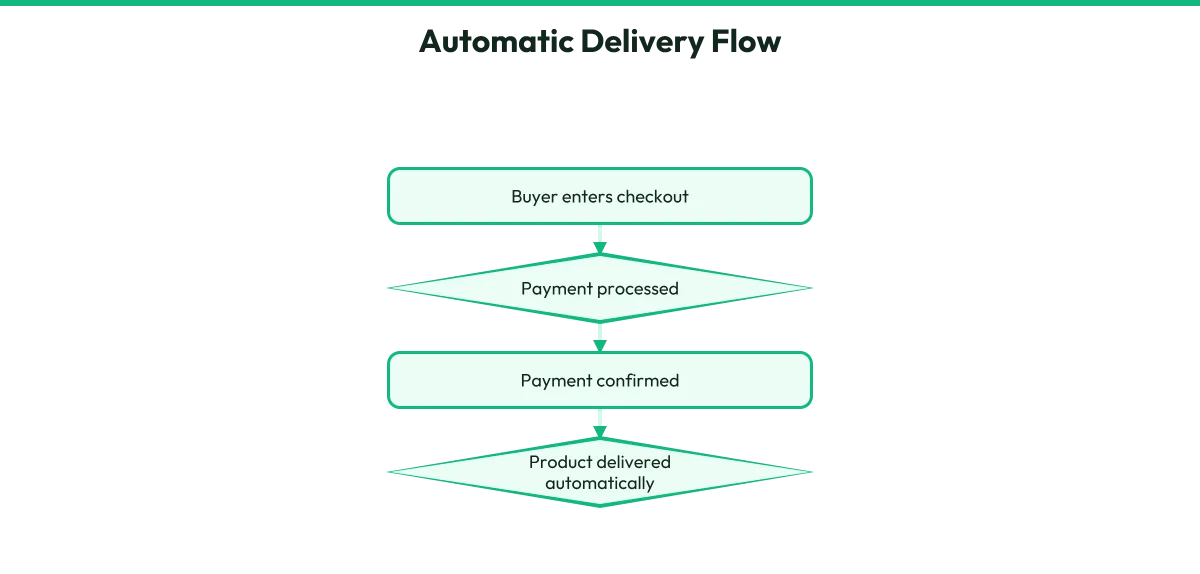
You need a way to collect money and a way to deliver your product without you doing it manually each time.
For beginners, the simplest path is a payment platform that handles both. These services create a checkout page, process cards or other payment methods, and send the buyer to your delivery page after purchase. Examples include Gumroad, Payhip, or similar services.
You create a free account, upload your PDF, set your price, and receive a link to share.
If you want more control, you can connect a payment processor to your own page. This involves creating an account with a service that handles transactions, adding their button to your sales page, and setting up what happens after payment.
This path requires more steps but lets you customize more.
Choose based on your comfort level. The all-in-one platform is faster to set up. The separate pieces path teaches you more about how systems connect.
Set your price based on the transformation you offer, not your page count. A $17 guide that saves someone hours each week is a fair deal. A $7 product feels cheap and attracts buyers who expect little. A $47 product needs more proof and detail on the page.
Test your checkout with a small payment to yourself. Go through the full flow: click buy, enter details, pay, receive the product. Fix anything that breaks before you announce your product to anyone.
Action steps- Choose between an all-in-one platform or separate payment processor plus delivery.
- Create your account and complete any required verification steps.
- Upload your PDF product file and set your price.
- Customize your checkout page with your product name and a simple description.
- Run a test purchase using real payment details to confirm the full flow works.
- Save your checkout link or embed code for your sales page.
Checklist
- Payment account is verified and ready to receive funds
- Product file is uploaded and downloads correctly
- Price is set and displayed clearly
- Test purchase completed successfully
- Buyer receives product automatically after payment
Recommended Resource
- Product Creator
Want to Skip All This? Build Your Product in About 30 Minutes
-
Step 6
Create Your Delivery Page and Thank You Experience
In shortBuild the page buyers see after purchase so they feel confident and get their product smoothly.
The moment after payment is when buyer's remorse can creep in. A clear, warm delivery page prevents refunds and starts the relationship well.
Your delivery page needs three things: a genuine thank you, clear instructions for accessing the product, and a simple way to get help if something goes wrong.
Start with "Thank you for your purchase. Here is your download." Then place a large, obvious download button. The file should open or save when clicked. Below that, add simple instructions like "Click the button above to download your PDF. It works on phones, tablets, and computers. Save it somewhere you will remember."
Include an email address or simple contact form for support. Even if no one uses it, seeing it builds trust.
If you used an all-in-one platform, it creates this page automatically. You can customize the message. Take the time to make it sound like you, not like default robot text.
If you built your own system, create a simple webpage with the same elements. Upload your PDF to cloud storage with a direct download link, or deliver it via email after purchase.
Test this page on your phone. Many buyers will open their purchase immediately on mobile. The download button should be thumb-sized and easy to tap.
Action steps- Write a warm, personal thank-you message for your delivery page.
- Add a large, clear download button linked to your product file.
- Include simple instructions for saving and opening the PDF.
- Add a support contact for questions or download issues.
- Test the full delivery experience on both phone and computer.
- Customize any default platform messages to sound like you.
Checklist
- Download button is large and easy to tap on mobile
- Instructions are written for non-technical users
- File actually downloads and opens correctly
- Support contact is visible and monitored
Recommended Resources
- Product Creator
Want to Skip All This? Build Your Product in About 30 Minutes
- NameCheap
Get a Domain
- Systeme IO
Get Your Digital Product Selling Software
-
Step 7
Create a Free Lead Magnet
In shortBuild a simple, valuable free item that attracts your ideal buyer and earns their email address.
A lead magnet is a free digital item you give away in exchange for an email address. It attracts people who want your topic but are not ready to buy yet. Done well, it builds your email list with future buyers.
Your lead magnet should relate directly to your paid product. It solves a small piece of the same problem. If your paid product is a complete meal planning system, your lead magnet might be "5 Dinners Ready in 15 Minutes" or a simple grocery list template.
The best lead magnets are fast to consume and immediately useful. A one-page checklist, a short template, a quick-start guide, or a simple calculator all work well. Avoid long ebooks. People rarely finish them, and unfinished lead magnets do not build trust.
Create your lead magnet in the same tool you used for your main product. Keep it to 1 to 5 pages. Design it simply but cleanly. Include a small note at the end mentioning your paid product as the next step.
Save it as a PDF. You will offer this on a dedicated page in exchange for an email address. The value should be obvious in one sentence. If you cannot explain the benefit simply, make the lead magnet more specific.
Action steps- Choose a lead magnet topic that is a small, direct step toward your paid product.
- Create a 1 to 5 page PDF that delivers one clear, quick win.
- Add a brief mention of your paid product as the full solution.
- Save as PDF and test on mobile.
- Write a one-sentence description of the benefit for your opt-in page.
Exercises
- Exercise: The Upgrade Test, Ask yourself: if someone finds this free item genuinely useful, would they naturally want the paid product next? If not, adjust the topic until the connection is obvious.
Recommended Resources
- Product Creator
Want to Skip All This? Build Your Product in About 30 Minutes
- NameCheap
Get a Domain
- Systeme IO
Get Your Digital Product Selling Software
-
Step 8
Build Your Opt-In Page and Connect Email Marketing
In shortCreate the page that collects emails and link it to a system that stores and sends emails automatically.
Your opt-in page has one job: convince someone to enter their email address to get your free lead magnet. It should be simpler than your sales page.
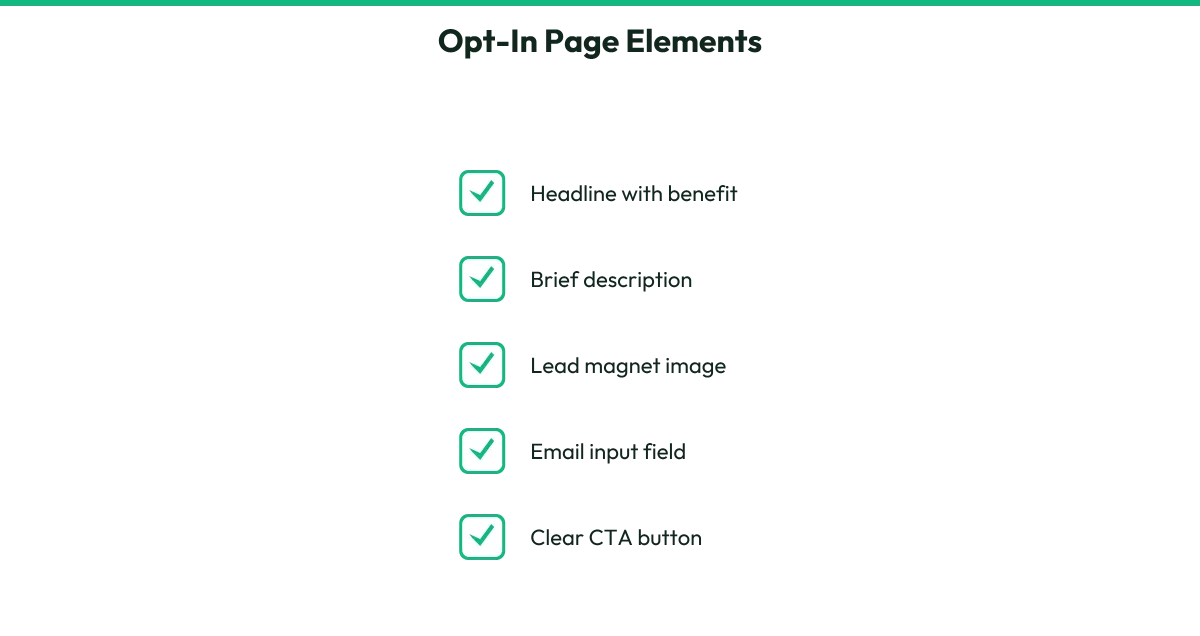
The page needs a headline promising the specific benefit, a sentence or two explaining what they get, a simple image of your lead magnet, an email input field, and a button saying something like "Send Me the Free Guide." Remove everything else.
No navigation, no links to social media, no distractions.
The headline should match the language your ideal buyer uses. If they say "I need to get organized," your headline might be "Get Organized This Week: Free 5-Minute Daily Planner."
Below the form, add a short privacy note like "We respect your email. Unsubscribe anytime." This small line increases trust and signups.
For the email system, you need a service that stores addresses and sends emails automatically. Free plans exist for beginners with small lists. Create an account, set up a list or audience for your product, and connect it to your opt-in page.
Most page builders have direct integrations, or you can copy and paste a simple form code.
Set up an automatic email that sends your lead magnet immediately after signup. This email should deliver the download, set expectations for what comes next, and introduce yourself briefly. Test the full flow: visit your page, enter an email, receive the lead magnet, confirm it arrives quickly and works.
Action steps- Write a simple opt-in page with headline, brief description, image, email field, and button.
- Remove all navigation and distractions from the page.
- Create an email marketing account and set up your audience list.
- Connect your opt-in form to your email list.
- Write and schedule the automatic welcome email with your lead magnet download.
- Test the complete signup and delivery flow from a fresh email address.
Checklist
- Opt-in page has no distractions or extra links
- Headline matches the language your buyer uses
- Email form connects to your list successfully
- Welcome email sends automatically within minutes
- Lead magnet download in the email works correctly
Recommended Resources
- Product Creator
Want to Skip All This? Build Your Product in About 30 Minutes
- NameCheap
Get a Domain
- Systeme IO
Get Your Digital Product Selling Software
-
Step 9
Write Your 7-Email Follow-Up Sequence
In shortCreate a series of emails that build trust and naturally lead subscribers toward buying your product.
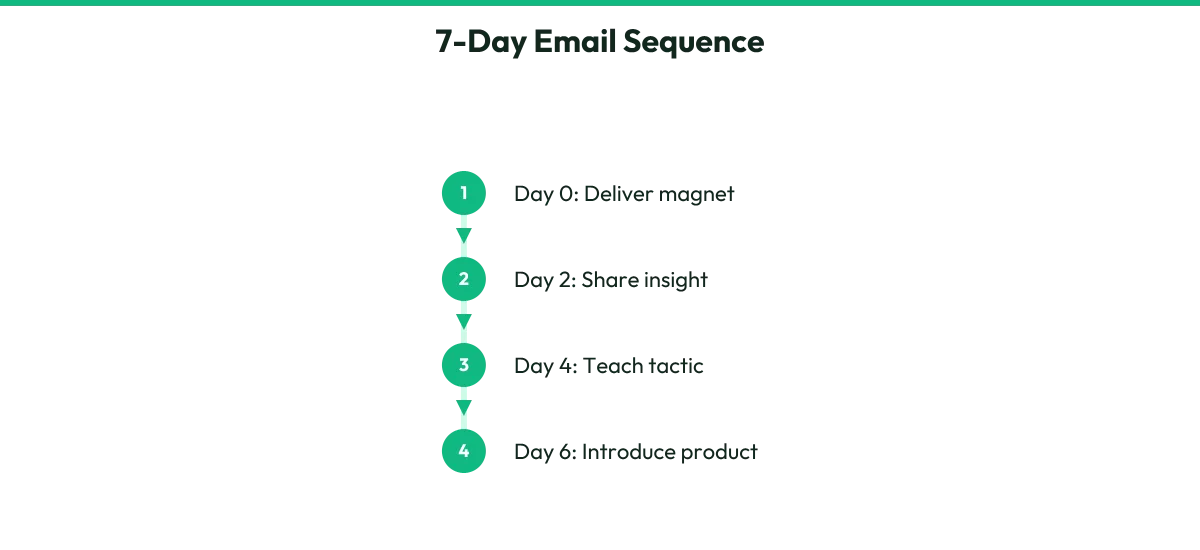
Your follow-up sequence turns new subscribers into buyers over one week. Each email has a specific job. Send them daily or with one day between.
Email 1, immediately: deliver the lead magnet and welcome them. Set the expectation that you will send helpful emails for the next few days.
Email 2, day 2: share a quick story or insight related to the problem. Show you understand their frustration. No selling yet.
Email 3, day 3: teach something useful they can apply today. Give real value. Build trust by being genuinely helpful without asking for anything.
Email 4, day 4: introduce a common mistake people make when trying to solve this problem. Hint that there is a better way. Start planting the seed.
Email 5, day 5: share a transformation story. Describe someone who struggled, found your approach, and got results. This can be your own story or a realistic scenario based on what your product does.
Email 6, day 6: present your paid product as the complete solution. Explain what it includes, who it is for, and the specific outcome it creates. Include a link to your sales page.
Email 7, day 7: address the main objection or hesitation. Answer the question "what if this does not work for me?" Restate the guarantee, remind them of the transformation, and include your sales link again.
Write each email like you are talking to one person. Use their name if your system allows personalization. Keep paragraphs short. One clear call to action per email.
Action steps- Write all 7 emails following the purpose for each day.
- Read each email aloud and simplify any stiff language.
- Add one clear call to action to each email.
- Schedule or automate the sequence in your email platform.
- Send test emails to yourself to check formatting and links.
Exercises
- Exercise: The Reply Test, After writing each email, ask yourself: if a friend received this, would they reply? If the answer is no, add more personality or a specific question to invite engagement.
Recommended Resource
- Product Creator
Want to Skip All This? Build Your Product in About 30 Minutes
-
Step 10
Plan Content That Attracts Your Ideal Buyer
In shortFind ideas and hooks that stop the scroll and bring the right people into your funnel.
Your content is the front door to your entire system. It lives on social media, brings people to your opt-in, and grows your email list. You do not need to be everywhere. Pick one or two platforms where your ideal buyer already spends time.
Start with content ideas that match your product topic. List 20 problems your buyer faces, 10 mistakes they make, 10 quick wins they could achieve, and 10 myths they believe. This gives you 50 starting ideas.
A hook is the first line that makes someone stop scrolling. Good hooks create curiosity, name a specific pain, or promise a quick result. Examples: "I wasted 3 years on this mistake so you do not have to," "The 5-minute habit that changed my mornings," or "Stop doing [common advice]. Here is what actually works."
Turn each idea into multiple content pieces. A single tip can become a short video, a text post, a carousel of images, or a story. Repurposing saves enormous time.
Your content should always lead somewhere. Most posts should end with a soft invitation:
Try thisI have a free guide that walks you through this. Link in bio.
Direct interested people to your opt-in page, not straight to your sales page. Trust builds in stages.
Create a simple content calendar. Plan 5 to 7 pieces for your first week. Batch-create them in one session. Consistency matters more than perfection.
Action steps- List 50 content ideas using the problem, mistake, win, and myth framework.
- Write 10 scroll-stopping hooks using curiosity, pain, or promise.
- Choose your main platform based on where your buyer spends time.
- Plan one week of content with a clear call to action on each piece.
- Create your content in a batch session rather than daily.
- Ensure every piece of content links to or mentions your free lead magnet.
Exercises
- Exercise: The Hook Swap, Take your best content idea and write 3 different opening lines. Test which one would make you stop scrolling if you saw it.
Recommended Resource
- Product Creator
Want to Skip All This? Build Your Product in About 30 Minutes
-
Step 11
Test Everything Before You Launch
In shortRun your complete system from start to finish and fix any problems before real customers see it.
Testing catches the broken links, confusing words, and missing steps that kill sales and create refunds. Do this carefully, even if you are eager to announce your product.
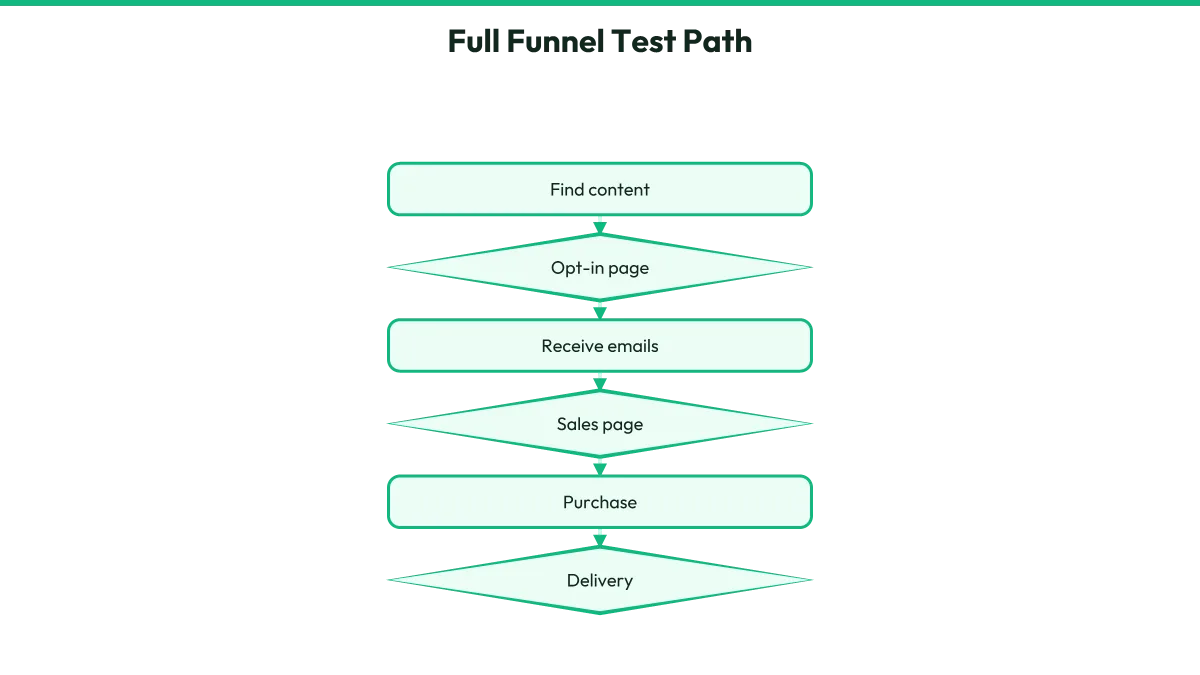
Walk through your entire funnel as if you are a stranger discovering you for the first time. Find one piece of your content. Click to your opt-in page. Enter an email address. Receive the welcome email and lead magnet.
Read each of the 7 follow-up emails. Click to your sales page. Read it as a skeptic. Click buy. Complete payment. Receive the delivery page. Download the product. Open it and confirm it looks right.
Do this on your phone and your computer. Ask a friend to do it too and narrate their thoughts aloud. Where do they hesitate? What confuses them? What feels missing?
Fix every friction point you find. A slow-loading page, a broken link, a payment that does not go through, or a delivery email in spam all cost you sales.
Also test your content. Post one piece and check that the link in your bio or comment works. Confirm the right page loads.
Once everything flows smoothly, you are ready. Your system is not perfect. No system ever is. But it works, and you can improve it with real customer feedback.
Launch means telling people your product exists. Post your content. Send an email to anyone already on your list. Mention your product in relevant conversations. Your first sales validate that real people want what you made.
Action steps- Complete a full test of content → opt-in → email sequence → sales page → checkout → delivery on phone and computer.
- Ask one trusted person to test the funnel and share their honest reactions.
- Fix every broken link, slow page, confusing sentence, or failed download found in testing.
- Confirm your payment account is ready to receive real money.
- Post your first content piece and verify all links work publicly.
- Send an announcement to any existing contacts and begin consistent content posting.
Checklist
- Full funnel tested start to finish on mobile and desktop
- Friend test completed with feedback incorporated
- All links functional and loading quickly
- Payment processes correctly and funds reach your account
- Delivery email arrives promptly, not in spam
- Product file downloads and displays properly
- Content post is live with working link to opt-in page
Recommended Resource
- Product Creator
Want to Skip All This? Build Your Product in About 30 Minutes
Keep this page handy. Bookmark this page so you can come back to your product and downloads anytime.
Resources and Recommended Tools
- Product Creator
Want to Skip All This? Build Your Product in About 30 Minutes
- NameCheap
Get a Domain
- Systeme IO
Get Your Digital Product Selling Software
Prefer an offline copy?
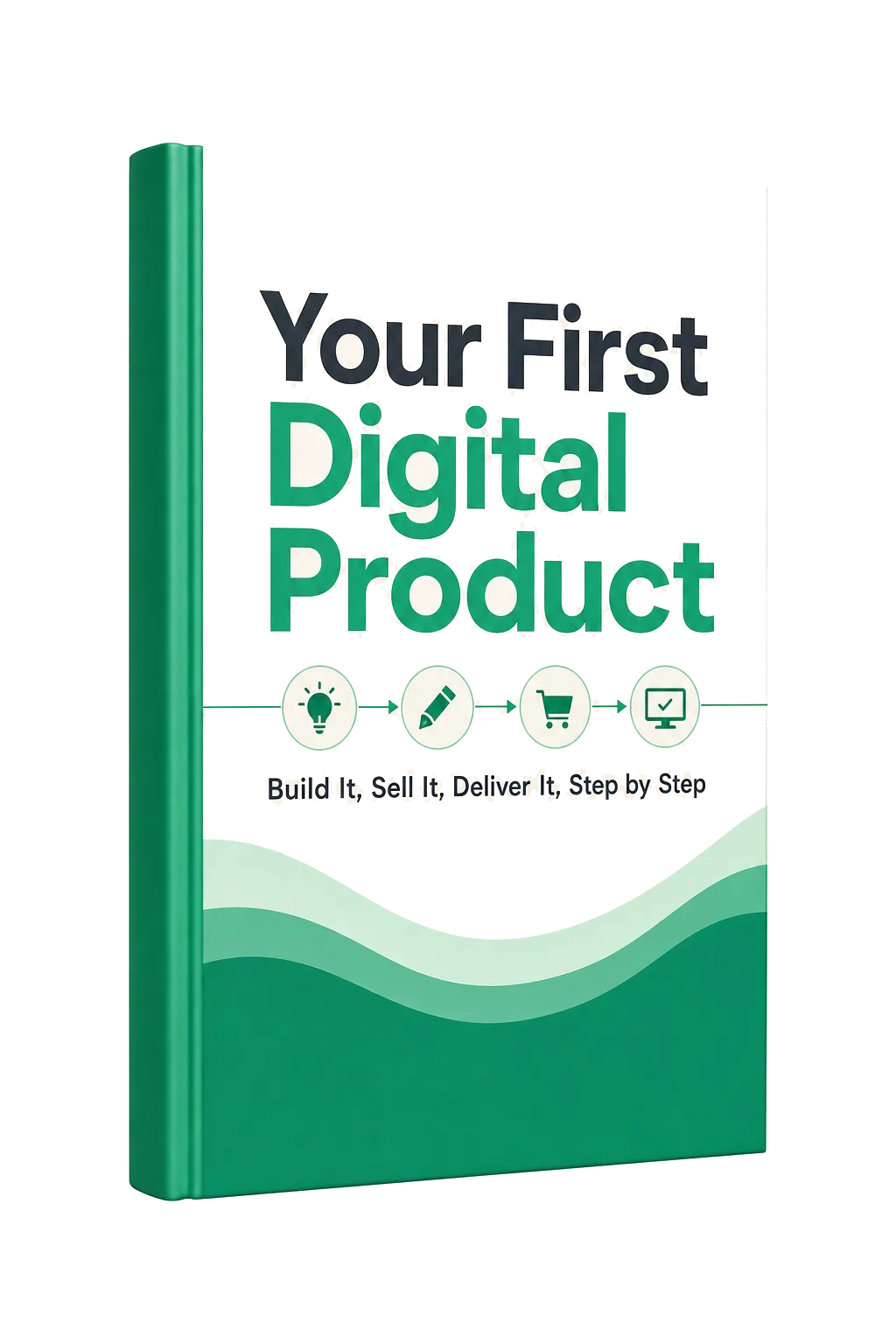
Your First Digital Product
Build It, Sell It, Deliver It, Step by Step
Step-by-Step Guide · Downloadable PDF