You're in!
Your First Sale Online
Your guide is ready. Inside you will find the complete step-by-step system for building your first online sale, from domain to delivery page to your first week of social posts. Start with Section 1 and work through in order. Each section ends with workbook prompts to fill in as you go. If you get stuck, re-read the action steps and check off each one before moving forward. Your first sale is closer than you think.
Your complete guide is ready below. Start with Step 1 and work through each step in order. Everything you need, including the tools and resources mentioned inside, is linked right where you need it.
Your guide
-
Step 1
Claim Your Web Address
In shortBuy a domain name and point it to your funnel builder so people can reach your pages.
Your domain is your address on the internet. It is what people type to find you, like yourname.com or yourproduct.com. Without one, you would have to send people long, messy links that look unprofessional and do not build trust.
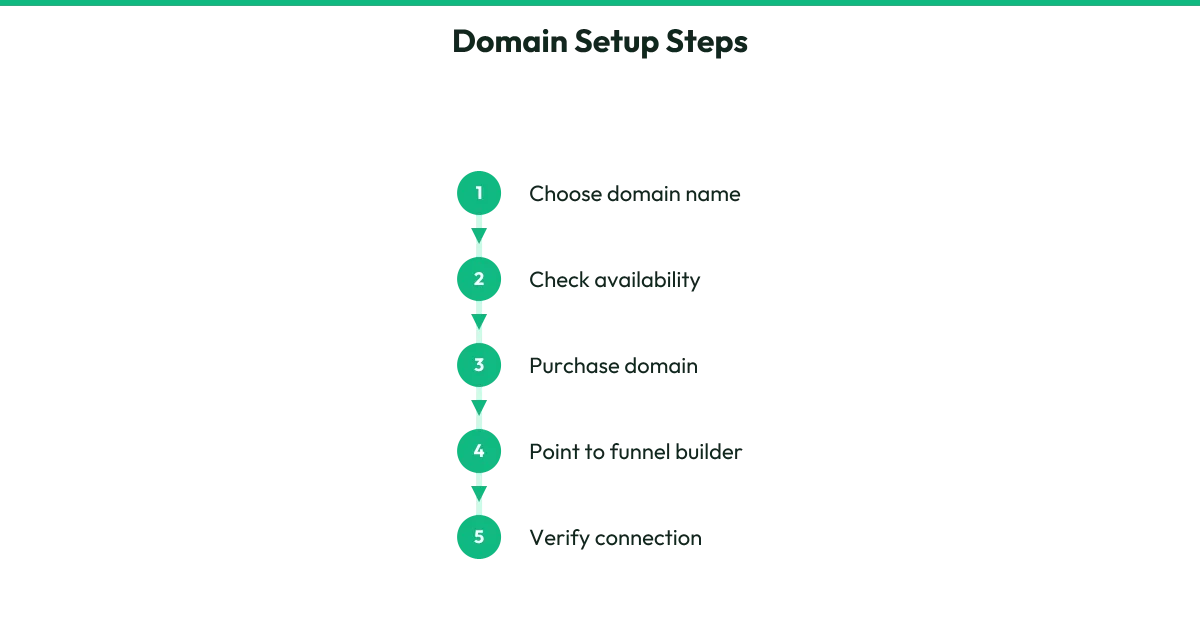
First, choose a name. Keep it short, easy to spell, and easy to say out loud. If your own name is available, that works well. If not, try your product name, your topic, or a short phrase that describes what you help with. Avoid numbers and hyphens if you can; they confuse people when you say the address aloud.
Buy your domain from any domain seller. Popular options include Namecheap, GoDaddy, or Google Domains. The price is usually around ten to fifteen dollars per year. You do not need any extra services they try to sell you. Just the domain.
Once you own it, you need to point it to Systeme.io, which is where your pages will live. This is called connecting your domain. In your Systeme.io account, go to your settings and find the custom domain section. It will give you two numbers called DNS records, or nameservers. Copy those, then go back to your domain seller, find the DNS or nameserver settings for your domain, and paste them in. Save the changes.
This step can take a few minutes to a few hours to fully connect across the internet. Do not panic if it does not work instantly. You can start building your pages inside Systeme.io while you wait.
If you use Product Creator later, you still need your own domain bought this same way and connected in Systeme.io the same way. Product Creator does not give you a web address. It writes and designs your pages; you bring the address yourself.
Action steps- Brainstorm five possible domain names and check if they are available at a domain seller.
- Buy the one that is shortest, clearest, and still available.
- In Systeme.io, find your custom domain settings and copy the nameservers or DNS records provided.
- Paste those into your domain seller's DNS settings and save.
- Test your domain in a browser after an hour to see if it loads a Systeme.io page.
Your workbook
Write your answers on this step's page in the workbook at the back of your PDF.
- Write the three best domain names you found and why you like each one.
- List the exact steps you took to connect your domain to Systeme.io, or where you got stuck.
- Write the date you plan to check if your domain is working, so you do not forget.
Recommended Resource
- NameCheap
Get Your Domain Here (Lowest Price)
-
Step 2
Build Your Free Gift Page
In shortCreate a simple page that collects email addresses in exchange for something helpful.
Before you ask anyone to buy, you need a way to stay in touch with people who are interested but not ready yet. A free gift page does this. You offer something small and useful for free. In return, the visitor gives you their email address. Now you can follow up with them later.
This page is also called an opt-in page or a squeeze page. It has one job: get the email. That means no menu, no links to other places, no distractions. Just a headline that names the problem your free gift solves, a sentence or two about what they will get, a place to type their email, and a button.
To build this in Systeme.io, create a new funnel and add an opt-in page. Use a simple template with a single column. Write your headline in plain language. Instead of "Download my lead magnet," say something like "Get the 5-minute checklist that stops [problem]." Speak to the visitor's pain, not your own excitement.
The free gift itself should be short enough to consume in five minutes and specific enough that the right person wants it immediately. A checklist, a short guide, a template, or a list of tools works well. Do not write a book. One to three pages is plenty.
If you use Product Creator, this becomes much faster. On its Pro or Lifetime plan, you can type your product idea, pick your style and price, and it will generate a free guide PDF, an opt-in page design, and even a 5-email follow-up campaign written to lead to your paid product. You click Export HTML on the opt-in page, copy it, and paste it into a Raw HTML block on your Systeme.io opt-in page.
The free guide PDF attaches to the first email you send from Systeme.io. Product Creator does not host the page or send the email; it writes and designs them for you to place in your own accounts.
Either way, your goal is the same: a live page with a working email form that adds people to your Systeme.io contact list.
Action steps- Decide what small, specific problem your free gift will solve for your ideal buyer.
- Write a headline for your opt-in page that names that problem and promises a quick fix.
- Build the page in Systeme.io using a simple one-column template.
- Create your free gift as a short PDF, or use Product Creator's Pro or Lifetime plan to generate one.
- Test the email form by submitting your own address and confirming you receive the gift.
Your workbook
Write your answers on this step's page in the workbook at the back of your PDF.
- Describe the exact person who needs your free gift and what is frustrating them right now.
- Write your opt-in page headline and read it out loud to see if it sounds like a real person talking.
- List the three main points or steps inside your free gift so you stay focused while creating it.
Recommended Resource
- Systeme IO
Get Your Free Funnel System Here
-
Step 3
Build Your Product Sales Page
In shortWrite and publish the page that explains your product and asks for the sale.
Your sales page is where someone decides to buy or leave. It needs to do three things: show that you understand their problem, explain how your product solves it, and make it easy to say yes. Nothing fancy. Nothing long. Just clear.
Start with a headline that says what they get. Not what it is. What they get. "How to [solve problem] in [time frame] without [common frustration]" is a reliable shape. Then a short paragraph that shows you know where they are stuck. Then a list of what is inside the product. Then the price and a buy button. That is the minimum.
In Systeme.io, create a new page in your funnel for the sales page. Use a simple template. Add your headline, your story or problem statement, your bullet points, and your button. Keep the design clean. Dark text on light background. One font. Plenty of space so the eye can rest.
Your buy button does not take payment directly. It links to your Stripe Payment Link, which you will create in the next section. For now, add a button and leave the link blank or use a placeholder. You will come back and fill it in.
If you use Product Creator, click the Write Sales Copy button and it will generate selling copy based on your product idea. It also creates a designed Sales Page. Export the HTML, copy it, and paste it into a Raw HTML block on your Systeme.io sales page.
The buy buttons on that page will use whatever checkout link you paste into Product Creator's Checkout Link box. You still create your own Stripe Payment Link and paste it there; Product Creator does not handle payments.
Read your finished page out loud before you publish it. If any sentence sounds like a robot wrote it, rewrite it the way you would explain it to a friend over coffee.
Action steps- Write one paragraph describing the exact moment your buyer feels the problem your product solves.
- List the three to five main things your buyer will know or be able to do after buying.
- Build your sales page in Systeme.io with headline, problem, solution, contents, price, and buy button.
- Read every sentence out loud and rewrite anything that sounds stiff or fake.
- Save the page and note where you will paste your payment link in the next step.
Your workbook
Write your answers on this step's page in the workbook at the back of your PDF.
- Write the exact words your buyer might say to describe their problem when they are frustrated.
- List the three biggest doubts someone might have about buying, and one line that answers each.
- Write your price and finish this sentence: 'This is worth it because _______.'
Recommended Resource
- Systeme IO
Get Your Free Funnel System Here
-
Step 4
Connect Your Payment and Delivery
In shortSet up Stripe to take money and build the page buyers see right after paying.
Now you need two final pieces: a way to take payment, and a page that gives buyers their product automatically so you do not have to send it by hand.
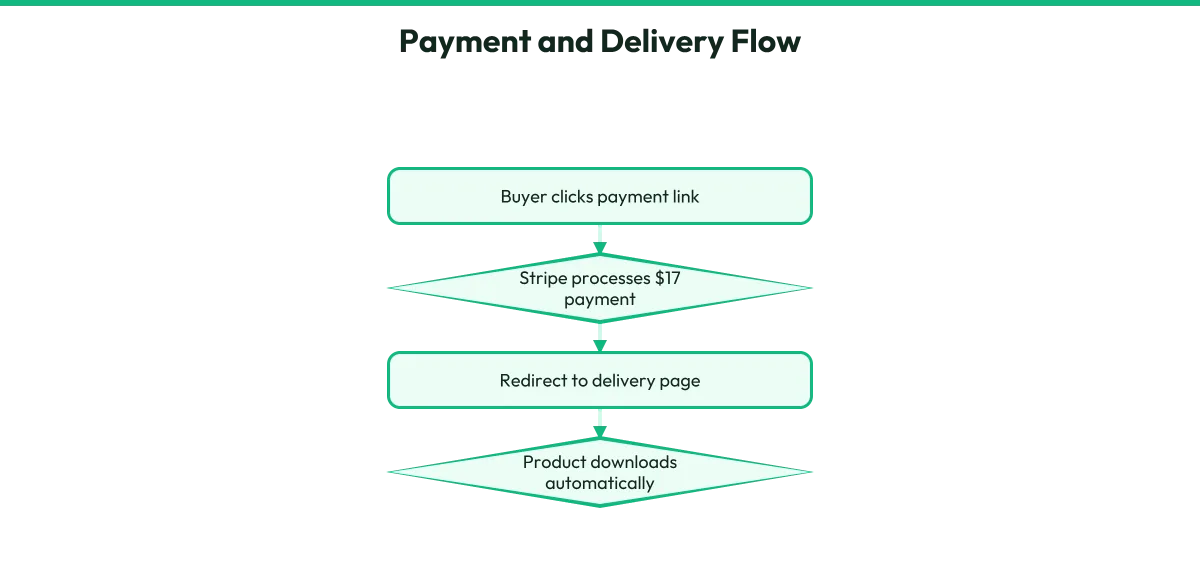
First, Stripe. Create a free Stripe account if you do not have one. Once inside, find Payment Links. Create a new link, set your price to $17, name it after your product, and set it to one-time payment. Where it asks for a redirect after payment, paste the web address of your delivery page. You will build that page next, so for now use a placeholder address and come back to update it.
Copy your Payment Link. In Systeme.io, edit your sales page and paste that link into your buy button. Now when someone clicks Buy, they go to Stripe, enter their card, pay, and Stripe sends them to your delivery page.
Your delivery page lives in Systeme.io as another step in your funnel. This page has one job: give the buyer their product. Thank them first. Then tell them exactly what to do next. If your product is a PDF, upload it to Systeme.io and add a download button.
If it is a video, embed it or link to it. If it is a template, give the download link. Make the download button large and obvious. Add a sentence like "Your download is ready below" so there is no confusion.
If you use Product Creator, it creates a Digital Product page designed for this exact moment. Export the HTML, copy it, and paste it into a Raw HTML block on your Systeme.io delivery page. This page includes your product content and download instructions already written and designed. You still host it on Systeme.io; Product Creator does not give you a web address or deliver files.
Test the full flow with a real payment, even if it is your own card. Click buy, pay, land on the delivery page, download the product. Fix anything that breaks before you tell anyone about it.
Action steps- Create a Stripe account and set up a Payment Link for $17.
- Copy the Payment Link and paste it into your Systeme.io sales page buy button.
- Build a delivery page in Systeme.io with a thank-you message and a clear download or access button.
- In Stripe, set the redirect after payment to your delivery page address.
- Run a full test purchase with your own card to confirm every step works.
Your workbook
Write your answers on this step's page in the workbook at the back of your PDF.
- Write the exact thank-you message your buyer will see, in words you would say to a real person.
- Describe what your buyer clicks to get their product and where it takes them.
- List any part of the payment or delivery flow you want to test again before going live.
Recommended Resource
- Product Creator
Let AI do it all... You just copy and paste. Code: TAKE200
-
Step 5
Set Up Your Follow-Up Emails
In shortWrite a short sequence of emails that builds trust with new subscribers and leads them to your product.
Most people who visit your free gift page will not buy the first time they hear about your product. That is normal. Your follow-up emails give them time to trust you and understand what you offer.
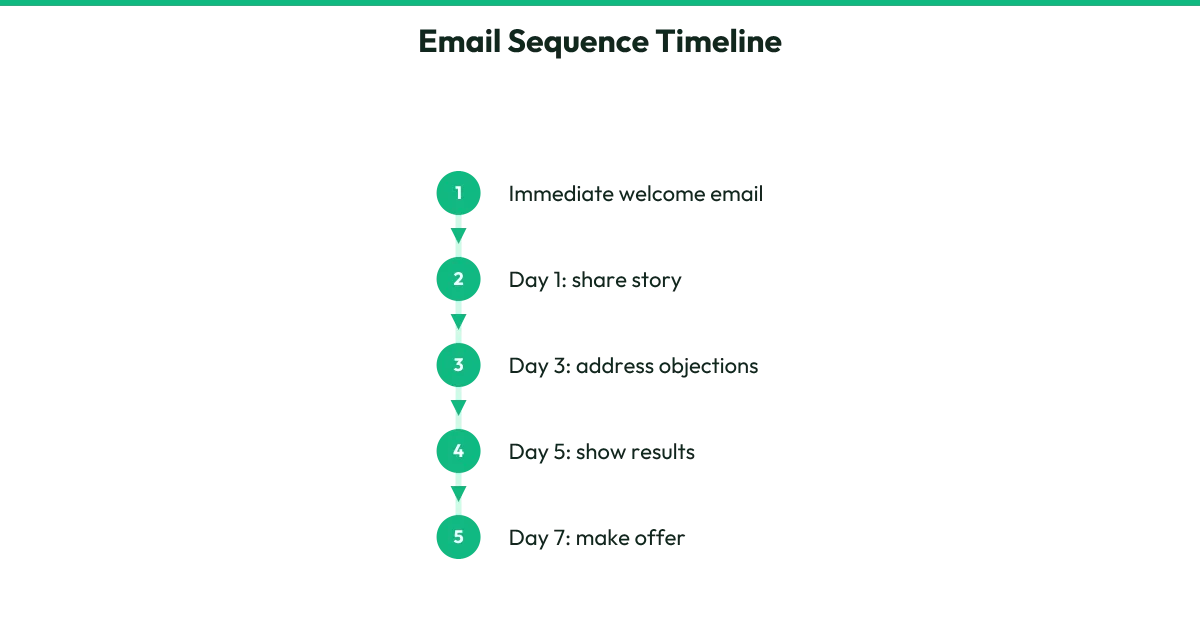
In Systeme.io, create a tag for people who join through your opt-in page. Then create an email campaign of five emails. Set the first email to send immediately, the next one a day later, then space the rest two to three days apart. Attach your free gift PDF to the first email so people get what they were promised.
Each email should do one thing only. Email one delivers the gift and welcomes them. Email two shares a quick story or insight related to the problem. Email three gives a small tip they can use today. Email four addresses a common doubt or question. Email five makes a clear, direct offer with a link to your sales page.
Keep emails short. Three to five paragraphs. One idea. Write like you are emailing one person, not broadcasting to a crowd. Use the word "you" often. Ask a question now and then so it feels like a conversation, not a lecture.
In Systeme.io, set an automation: when someone submits your opt-in page form, tag them and start this email campaign. Test it by subscribing with your own address and watching the emails arrive.
If you use Product Creator on Pro or Lifetime, it writes all five emails for you based on your product idea. Copy each subject line and body into your Systeme.io campaign. Attach the free guide PDF to the first email yourself. Product Creator never sends an email; it writes them for you to place in your own system.
These emails are where many of your sales will come from. Do not skip this step.
Action steps- Create a tag in Systeme.io for subscribers from your opt-in page.
- Write or paste five emails spaced across ten to fourteen days.
- Attach your free gift PDF to the first email.
- Build an automation that tags subscribers and starts the campaign.
- Subscribe yourself and read every email as it arrives, fixing anything that feels off.
Your workbook
Write your answers on this step's page in the workbook at the back of your PDF.
- Write the subject line of your first email and why someone would open it.
- Describe the one small tip or insight you will share in email three.
- Finish this sentence for email five: 'If you are ready to [result], here is the link to _______.'
-
Step 6
Create Your First Week of Social Posts
In shortPlan and write seven posts that attract the right people and send them to your free gift page.
You have a working system. Now you need people in it. Social media is the fastest free way for beginners to find their first visitors. You do not need a following. You need posts that speak to a specific problem and offer a next step.
These seven posts are designed to work together over your first week. Each one stands alone, but together they show you understand your topic and give people a reason to trust you enough to give their email.
Post one: name the problem. Describe a moment your ideal buyer feels stuck. No solution yet. Just "I see this, it is frustrating."
Post two: share a myth. Something most people believe that actually makes the problem worse. This gets attention because it contradicts expectations.
Post three: give a quick win. One small thing they can do today that helps a little. Show you can actually help without giving everything away.
Post four: tell a short story. A moment you or someone you observed struggled with this, and what shifted. Keep it under two minutes to read.
Post five: show the transformation. What life looks like after the problem is solved. Paint a picture they want to step into.
Post six: answer an objection. "You might think this takes too long or costs too much. Here is why that is not true."
Post seven: make the direct offer. Tell them about your free gift, what it includes, and exactly how to get it. Link to your opt-in page.
For each post, use the platform where your people already spend time. Short-form vertical video works on Instagram Reels, TikTok, YouTube Shorts, and Facebook Reels. You can talk to camera, or use text on screen, or show your screen, or use B-roll footage. You do not need to show your face if you prefer not to. A voiceover with relevant visuals works fine.
End every post with a clear next step: "Link in bio for the free checklist" or "Comment GUIDE and I will send it." Do not assume they know what to do. Tell them.
Post one on day one, post two on day two, and so on. Consistency matters more than perfection. Your first posts will not be your best posts. Publish them anyway.
Action steps- Choose one platform to focus on for your first week based on where your ideal buyer already spends time.
- Write a one-sentence description of the problem for post one.
- Draft the myth or wrong belief you will challenge in post two.
- Plan your quick win tip for post three and test that it actually takes under five minutes.
- Write post seven's direct offer and include your exact opt-in page link.
- Schedule or set reminders to publish one post per day for seven days.
Your workbook
Write your answers on this step's page in the workbook at the back of your PDF.
- Describe the exact moment your ideal buyer feels the problem most strongly, as you would write it in post one.
- Write the one myth or wrong belief you will challenge in post two.
- Finish this sentence for post seven: 'If you want [result], grab my free [gift] at [your link].'
-
Step 7
Post, Watch, and Adjust
In shortPublish your posts, track what happens, and make small changes based on what you learn.
Your system is live. Your posts are going out. Now you watch what happens and respond. This is not about becoming a data expert. It is about noticing what works and doing more of it.
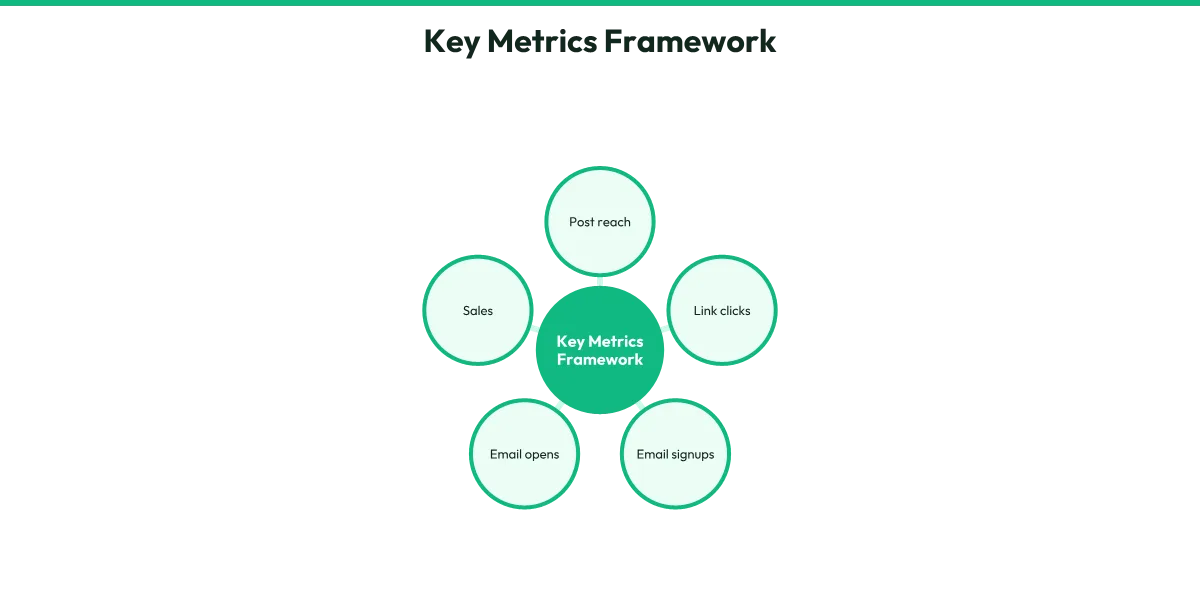
First, know what to track. In your first week, the numbers that matter are simple. How many people saw your posts. How many clicked your link. How many gave their email. How many opened your emails. How many bought. Systeme.io shows you email opens and clicks. Stripe shows you payments. Your social platform shows you views and profile visits. You do not need fancy tools. Just look at what is free and built in.
If a post gets more views than the others, study it. Was the opening line more direct? Did you use a specific format? Did you post at a different time? Do not guess why. Make your next post similar and see if it performs the same way.
If people click but do not give their email, your opt-in page headline might not match the post promise. Or your free gift might not sound valuable enough from the page. Tweak the headline or describe the gift more specifically.
If people give their email but do not open your emails, your subject lines might be too vague or too salesy. Write them like you are sending to a friend with something they asked for.
If people open emails but do not buy, your sales page might not address their doubts, or your offer might not feel urgent or clear enough. Add a line that answers the doubt you keep hearing, or make the transformation more vivid.
Change one thing at a time. If you change everything at once, you will not know what helped. Give each change a few days to show results.
The goal in week one is not a flood of sales. It is learning what your people respond to. One sale is a win. One email subscriber who opens every email is a win. These are the foundations you build on.
Keep posting past week one. The people who see post seven and go back to watch posts one through six are often your best buyers. Your old posts keep working while you sleep.
Action steps- Write down your starting numbers: followers, email subscribers, sales. Zero is a valid starting number.
- Check your social, email, and payment stats once per day at the same time.
- When a post performs well, save a note about what made it different.
- When a step in your funnel underperforms, change one element and wait three days.
- Plan your second week of posts based on your best-performing post from week one.
Your workbook
Write your answers on this step's page in the workbook at the back of your PDF.
- Write your three starting numbers today, even if they are all zero.
- Describe your best-performing post and the one thing you think made it work.
- Name the one part of your funnel you will change first and what you will try instead.
Recommended Resource
- Product Creator
Let AI do it all... You just copy and paste. Code: TAKE200
Keep this page handy. Bookmark this page so you can come back to your product and downloads anytime.
Resources and Recommended Tools
- NameCheap
Get Your Domain Here (Lowest Price)
- Systeme IO
Get Your Free Funnel System Here
- Product Creator
Let AI do it all... You just copy and paste. Code: TAKE200
Prefer an offline copy?
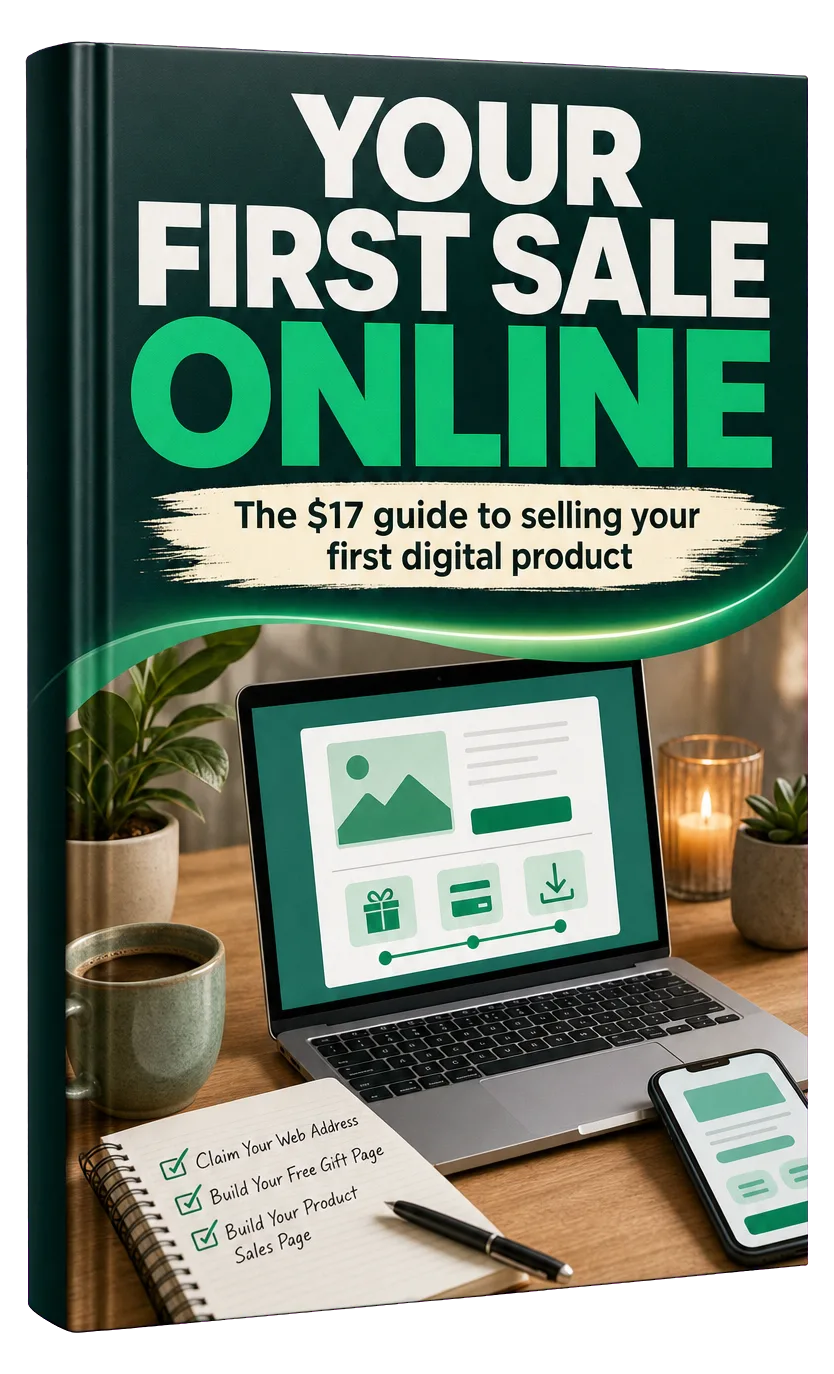
Your First Sale Online
The $17 guide to selling your first digital product
Step-by-Step Guide · Downloadable PDF